
Scammers paste fake codes over parking meters, mail QR codes in unexpected packages and hide links in texts. Here is what a scan can actually do to your phone, and how to check a code first.
QR codes sit on restaurant tables, parking meters, concert tickets and shipping boxes, and most people scan them without a second look. The problem is that a QR code is a link you cannot read with your own eyes. The FTC and the FBI have both warned that scammers exploit exactly that blind spot. The checks below take seconds and stop most of these schemes.
What Happens When You Scan a QR Code?
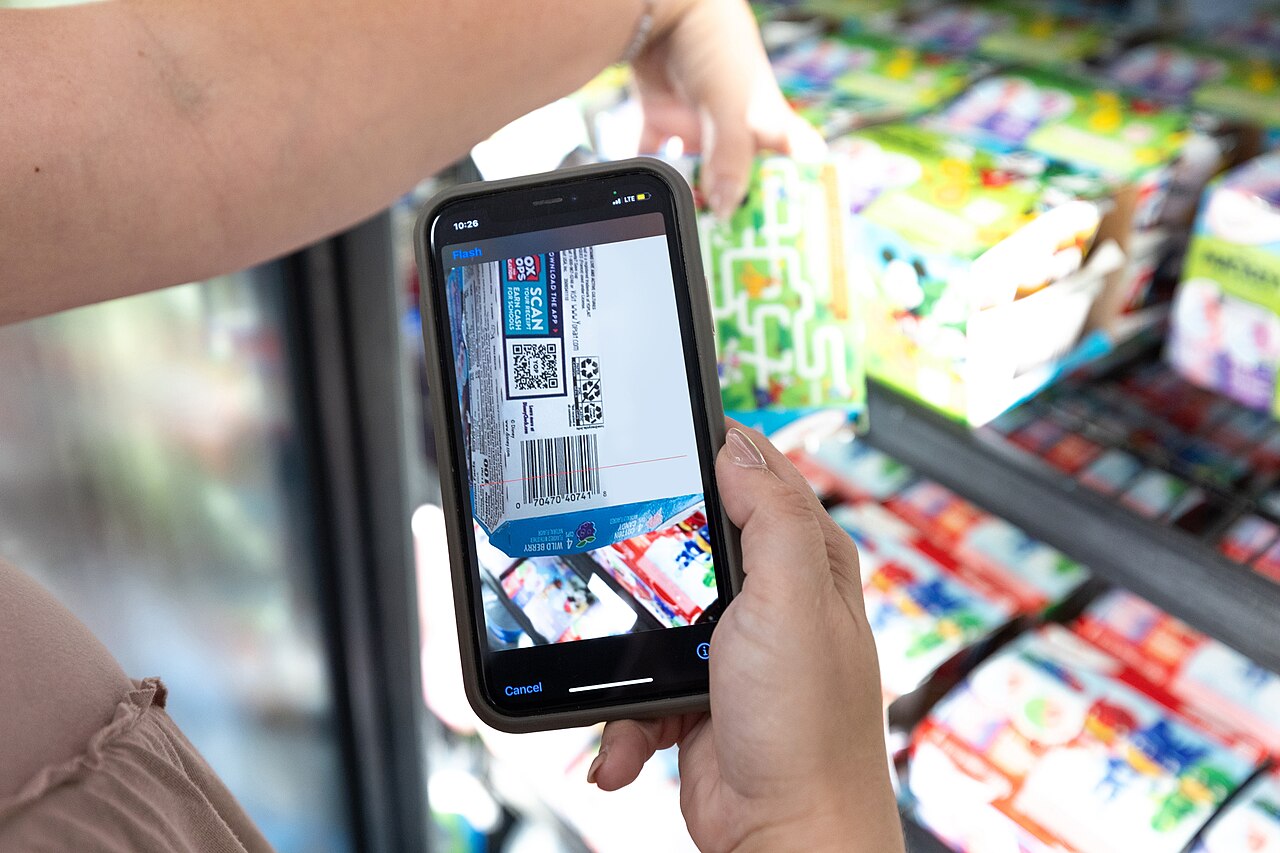
Scanning a QR code makes your phone’s camera read a square barcode and act on the data inside it, which usually means opening a website, starting an app download, or setting up a payment. QR stands for quick response, and the codes caught on because they are easy to create and easy to scan. The catch: a human eye cannot decode one. You cannot know where a code leads until your phone opens the link, which is why the FBI and the FTC both tell people to pause between the scan and the tap.
Can a QR Code Itself Infect Your Phone?
The scan itself rarely does anything harmful; the danger is in what the code tells your phone to do. A scammer’s code can send you to a spoofed site that looks real but exists to capture whatever you type into it, such as a username, a password or a card number. It can also trigger a download of malware that gives someone else access to your device. The FBI warns that some malicious codes carry malware capable of stealing a phone’s location along with personal and financial information stored on it. So the honest answer is that the code is just data, but following it carelessly can hand over a great deal.
How Do QR Code Scams Work?
The core trick is substitution. Scammers replace legitimate codes with their own, on printed surfaces and in digital messages alike. A victim scans what looks like an official code and lands on a fake payment portal or login page; anything entered there goes to the criminal, and payments can be rerouted to the scammer’s accounts. The stories follow a pattern: a text says your package could not be delivered, an email claims a payment failed, or a caller offers a free gift card if you just scan the code they send. All of it is built to create urgency so you scan before you think. The FBI began receiving reports of QR code victims, including some who lost money, in 2022, and has flagged cryptocurrency and gift card versions as particular concerns.
Where Are Fake QR Codes Most Likely to Show Up?
Fake codes cluster in three places.
- Parking meters and payment stickers. The FTC has received reports of scammers covering legitimate codes on meters with their own. Police in New Westminster, British Columbia, reported victims who entered card details into a convincing fake payment site, with one person losing $2,000, and Asheville, North Carolina, found about 20 fake stickers on downtown meters even though the city does not use QR codes for parking at all.
- Unexpected packages. A box arrives with no sender, plus a note calling it a gift and asking you to scan a code to learn who sent it or to return it. The FTC and the FBI describe this as a variation of a brushing scam built to harvest personal information or install malware.
- Emails and text messages. A code arrives with an urgent story attached: an account problem, a failed payment, a prize waiting. If you did not expect the message, do not scan it.
How Do You Check a Code Before Scanning It?
Run two checks before every scan: whether the physical code looks tampered with, and where the link actually goes.
- Inspect the sticker. Run a finger over it or look at the edges. If it seems pasted over another code or sits somewhere it does not belong, skip it and ask an employee.
- Preview the URL. Most phone cameras show the web address before you open it. Look for misspellings or a switched letter, and treat shortened links that hide the real domain as a red flag.
- Skip codes in unexpected emails and texts. If the message might be real, contact the company through a phone number or website you already know rather than the link in the message.
- Never download an app through a code. Use your phone’s app store instead, and stick with the camera app built into your phone rather than third-party scanner apps.
- Type payment addresses yourself. The FBI recommends entering a website by hand when paying rather than scanning a code that could redirect the money.
Worth doing
If a code’s link looks like a site you recognize, check it character by character before tapping. Scammers count on a quick glance missing a single switched letter.
What Should You Do If You Already Scanned a Bad Code?
Move fast on passwords and money.
- If you entered a username or password, change it immediately, and change it anywhere else you used the same password.
- Do not interact with the scammer through the site you landed on; reaching out invites more pressure for money or information.
- Review your credit card and bank statements for transactions you did not make.
- Update your phone’s operating system and apps, turn on multi-factor authentication, and use strong, unique passwords.
- Report it. The FTC takes reports at ReportFraud.ftc.gov, and the FBI’s Internet Crime Complaint Center collects cybercrime reports. Keep expectations modest: law enforcement cannot guarantee recovery of funds after a transfer.
If you shared personal details, request a free credit report from Equifax, Experian and TransUnion to check for fraudulent activity. Adults aged 60 or over who need help filing an IC3 complaint can call the Justice Department’s Elder Justice Hotline at 1-833-FRAUD-11.
These schemes work the same way fake support calls do, with urgency doing most of the damage, so our guide to how tech support scams work and how to shut them down covers the broader pattern. And because one reused password can turn a single bad scan into several compromised accounts, our article on cleaning up old online accounts explains how to shrink that exposure.
The essentials
- The scan itself rarely harms your phone; the risk comes from the phishing site or malware the code leads to.
- Scammers paste fake QR stickers over legitimate ones on parking meters and send codes in unexpected emails, texts and packages.
- Check for tampered stickers, preview the link for misspellings, and never download an app through a QR code.
- If you scanned a bad code and entered credentials, change the password right away and review your bank and card statements.
- Report QR scams to the FTC at ReportFraud.ftc.gov or to the FBI’s Internet Crime Complaint Center.
Reader questions
Can a QR code hack my phone by itself?
The code is just an image; the harm comes from where it sends you. Following a scammer’s code can lead to a spoofed login page or a malware download.
What does a fake parking meter code look like?
It is usually a sticker pasted over the meter’s real code. If it looks raised, misaligned or out of place, pay at the meter or through the city’s official app instead.
Are QR codes in emails and texts ever safe?
Treat codes in unexpected messages like suspicious attachments. If the message seems real, contact the company using a phone number or website you already know.
I scanned a code and entered my password. Now what?
Change that password immediately, and change it anywhere you reused it. Then check your bank and card statements and report the scam to the FTC or the FBI.
We describe how services generally work; features, settings and terms change often, and they differ between companies. This is general information, not legal advice. Check the provider’s current policies and official sources such as FTC.gov.